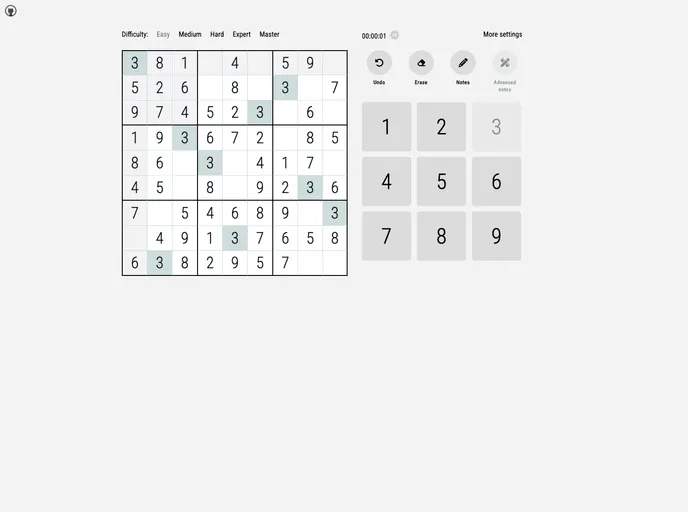
Sudoku board created with SvelteKit, Typescript and Tailwind.
I have been interested in studying Svelte for some time now and I finally got the opportunity when I wanted to create a Sudoku app with specific settings that I couldn’t find in existing apps. The app is developed using Svelte/SvelteKit, Typescript, and Tailwind. It is inspired by the website sudoku.com and the repository robatron/sudoku.js.
To install and run the Sudoku app, follow these steps:
git clone https://github.com/your-username/sudoku-app.git
cd sudoku-app
npm install
npm run dev
http://localhost:5000 to access the app.The Sudoku app developed with Svelte/SvelteKit, Typescript, and Tailwind offers a unique approach to playing Sudoku with customizable settings. It takes inspiration from the popular website sudoku.com and utilizes a board creation algorithm from the robatron/sudoku.js repository. The app allows for a mobile version, saving data to local storage, setting an error limit, and displaying advanced notes for Sudoku enthusiasts.

