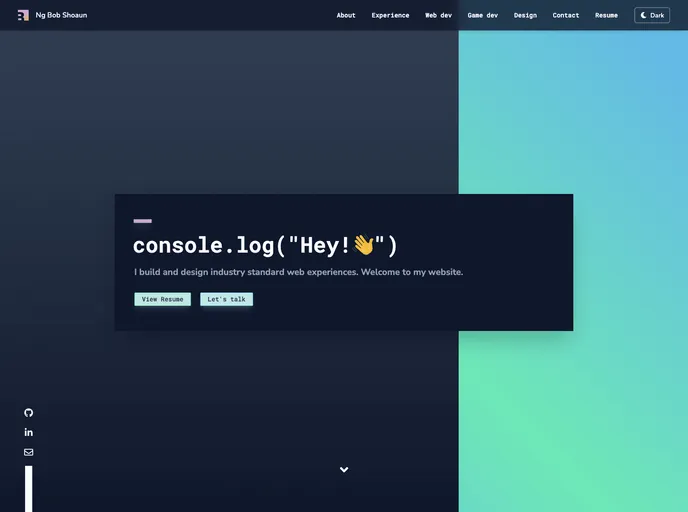
Second iteration of my personal portfolio website to showcase my coding and design skills. Featuring cool animations, colors, dark/light theme, and WAI-ARIA a11y. Made with the new framework Svelte.
The Portfolio-V2 is the second iteration of a personal portfolio website. It is built using Svelte, a component-based JavaScript framework. The website serves as a shareable component template and can be customized by editing the component files. The template is designed to be responsive, with the ability to run on localhost or be deployed to platforms like Heroku. The website can also be built and run in production mode for optimized performance. Additionally, the template supports TypeScript for those who prefer using it. It can be deployed to the web using platforms like Vercel or Surge.
To install and set up the Portfolio-V2 template, follow these steps:
git clone https://github.com/sveltejs/templatenpm installnpm run devlocalhost:5000 to see your app running.src folder, save them, and reload the page to see your changes.By default, the server only responds to requests from localhost. If you want to allow connections from other computers, edit the sirv commands in package.json to include the option --host 0.0.0.0.
If you are using Visual Studio Code, it is recommended to install the official Svelte extension for better syntax highlighting and intellisense. For other editors, you may need to install a plugin to get these features.
To create an optimized version of the app, run: npm run build. The newly built app can be run with npm run start.
For single-page app (SPA) mode with multiple routes, edit the “start” command in package.json.
If you prefer using TypeScript, there is a script provided to set up a TypeScript development environment. Run the following command after cloning the template: npm run setup-ts. To remove the TypeScript setup, use npm run remove-ts.
To deploy the app to the web using Vercel, make sure you have Vercel installed and run: vercel. For Surge, make sure you have Surge installed and run: surge. Follow the prompts to complete the deployment process.
The Portfolio-V2 is a personal portfolio website template built using Svelte. It offers several key features including being a shareable component template, having a responsive design, and supporting customization of component files. The template can be easily installed, with dependencies and development environment set up through the provided scripts. It can be run on localhost or deployed to platforms like Heroku. The template also supports TypeScript for those who prefer it. Deployment to the web can be done using platforms like Vercel or Surge. Overall, the Portfolio-V2 is a versatile and user-friendly template for creating personal portfolio websites.

