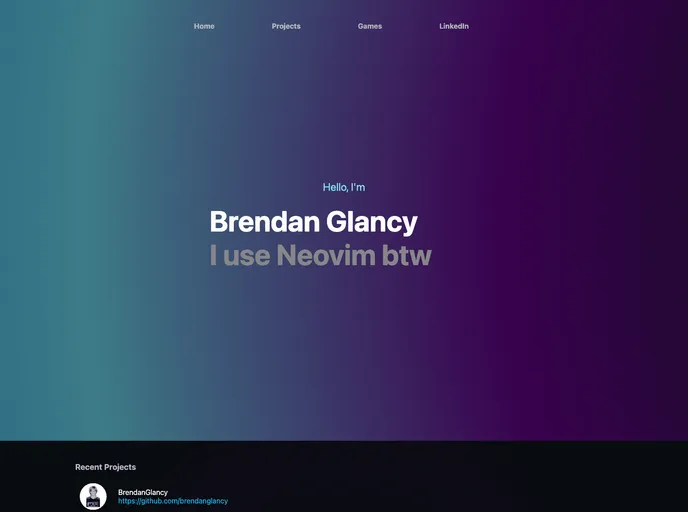
My portfolio website, still in progress.
Overview
The “Demo” product is a developer portfolio template designed for showcasing projects and skills. It allows users to create a personalized portfolio website linked to their Github account. The template uses modern technologies like Next.js, axios, and reactstrap to ensure a smooth and responsive user experience. Users can also add emojis to their portfolio using a built-in emoji function.
Features
- Personalized Portfolio: Users can create a portfolio website to showcase their projects and skills.
- Github Integration: The template allows users to link their portfolio to their Github account for easy access to their repositories.
- Emojis: Users can use the built-in emoji function to add emojis to their portfolio text, ensuring compatibility across browsers and platforms.
- Next.js: The template is built using Next.js, a popular React framework that offers server-side rendering and optimized performance.
- axios: This library is used for making HTTP requests, enabling seamless integration with external APIs or data sources.
- reactstrap: The template incorporates the reactstrap library for creating responsive and mobile-friendly UI components.
- react-reveal: Users can create impressive animations and reveal effects with the react-reveal library, enhancing the visual appeal of their portfolio.
- react-lottie: Lottie files can be used for adding interactive and captivating animations to the portfolio.
- react-easy-emoji: The react-easy-emoji library simplifies the process of adding emojis to the portfolio website.
- react-headroom: This library provides a sticky header effect, ensuring easy navigation and enhancing the user experience.
- color-thief: The color-thief library can be used to extract dominant colors from images, allowing for dynamic and visually cohesive designs.
- emailjs: Users can integrate the emailjs service to enable easy contact form functionality on their portfolio website.
Installation
To get started with the Demo portfolio template, follow these steps:
- Make sure you have Git and Node.js (including npm) installed on your computer.
- Clone the developer-portfolio repository from the command line using the following command:
git clone <repository-url>
Navigate to the cloned repository directory.
Install the required dependencies by running the following command:
To link your portfolio to your Github account, open the portfolio.js file and change the githubUserName variable to your Github username.
To add emojis to your portfolio text, use the emoji() function and pass the desired text as an argument.
Feel free to customize the portfolio content, styles, and animations according to your preferences.
Once you have made the desired changes, run the following command to start the development server:
- Access the portfolio website by opening your browser and navigating to
http://localhost:3000.
Summary
The Demo portfolio template is a powerful tool for developers to create their own personalized portfolio websites. With features like Github integration, emoji support, and a variety of modern technologies, users can easily showcase their skills and projects in an impressive and visually appealing manner. The installation process is straightforward, and customization options allow for a unique and personalized portfolio experience.