Overview
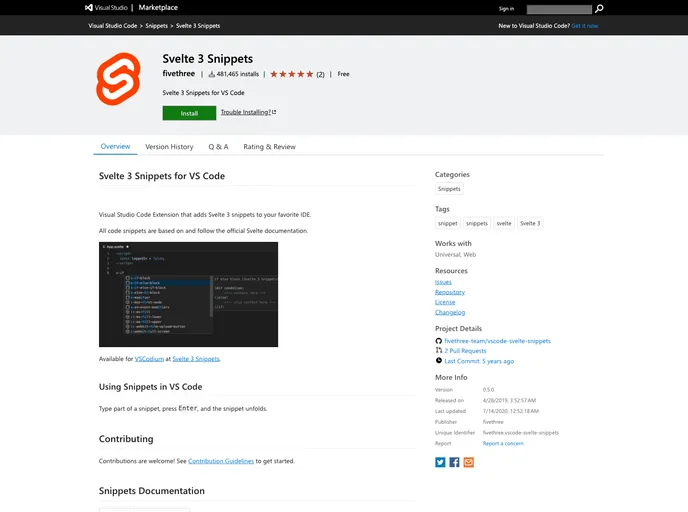
The Svelte 3 Snippets for VS Code is a Visual Studio Code extension that adds Svelte 3 snippets to your favorite IDE. The code snippets are based on and follow the official Svelte documentation. This extension allows developers to quickly insert commonly used code snippets and improve their productivity when working with Svelte.
Features
- s-component-format: Add a script to your Svelte file.
- s-script: Add a script to your Svelte file.
- s-script-context: Add a script with context=“module” to your Svelte file.
- s-style: Add styles to your Svelte file.
- s-expression: Basic expression.
- s-expression-html: HTML content expression.
- s-expression-debug: HTML content expression.
- s-if-block: If block.
- s-if-else-block: If else block.
- s-else-block: Else block.
- s-if-else-if-block: If else if block.
- s-else-if-block: Else if block.
- s-each-block: Each block.
- s-each-else-block: Each else block.
- s-each-index-block: Each index block.
- s-each-key-block: Each index block.
- s-each-index-key-block: Each index key block.
- s-await-then-block: Await then block.
- s-then-block: Then block.
- s-await-short-block: Await short block.
- s-await-catch-block: Await catch block.
- s-catch-block: Catch block.
- s-on-event: On event.
- s-on-event-foward: On event forward.
- s-on-event-modifiers: On event with modifiers.
- s-on-event-inline: On event inline.
- s-modifier: Modifier.
Installation
To install the Svelte 3 Snippets for VS Code extension, follow these steps:
- Open Visual Studio Code.
- Go to the Extensions sidebar by clicking on the square icon in the left panel or by pressing
Ctrl + Shift + X. - Search for “Svelte 3 Snippets” in the search bar.
- Click on the “Install” button to install the extension.
- Once installed, the extension will be available to use in your Svelte projects.
Summary
The Svelte 3 Snippets for VS Code is a useful extension for developers working with Svelte. By providing a variety of code snippets based on the official Svelte documentation, it enables developers to quickly insert commonly used code and improve their productivity. The installation process is straightforward, making it easy for developers to integrate this extension into their development workflow.