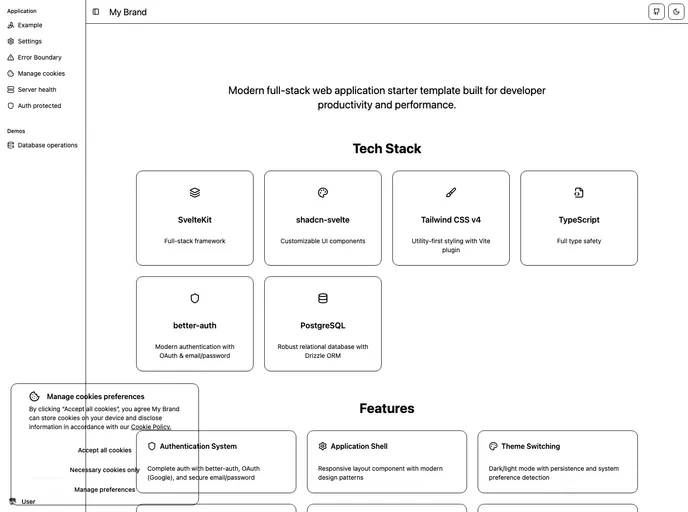
Overview
The @gantonl/templates CLI tool is an innovative solution for developers looking to jumpstart their web application projects. By providing ready-to-use templates, it simplifies the often tedious setup process, allowing you to focus on building features instead of getting bogged down in configuration. With a modern architecture and best practices built-in, this tool is perfect for both seasoned developers and those new to web applications.
What sets this CLI apart is its emphasis on flexibility and customization. Users can quickly scaffold out a project tailored to their needs, employing substantial features designed to streamline development and ensure code quality. Whether you’re creating a full-stack application or a simpler web interface, this tool is invaluable for accelerating your workflow.
Features
- Interactive Project Creation: Users are guided through project setup with prompts for customization, making the process intuitive and tailored to specific needs.
- Smart File Processing: This feature allows for exclusion patterns and template copying, ensuring that only necessary files are included in the generated project.
- Package Manager Detection: Automatically detects and uses your preferred package manager (npm, yarn, pnpm, or bun), streamlining the setup for different environments.
- Git Initialization: New projects are initialized with Git, allowing for easy version control from the get-go.
- Post-Installation Guidance: Provides users with next steps after project creation, helping to navigate early development phases efficiently.
- Update Notifications: Keeps the CLI up-to-date with important updates, ensuring users have access to the latest features and fixes.
- Modular Architecture: Features dynamic command loading and a template registry, making it easy to manage and extend functionality.
- Extensible Plugin System: Users can add new templates easily, allowing for a continuously evolving ecosystem to suit various project needs.