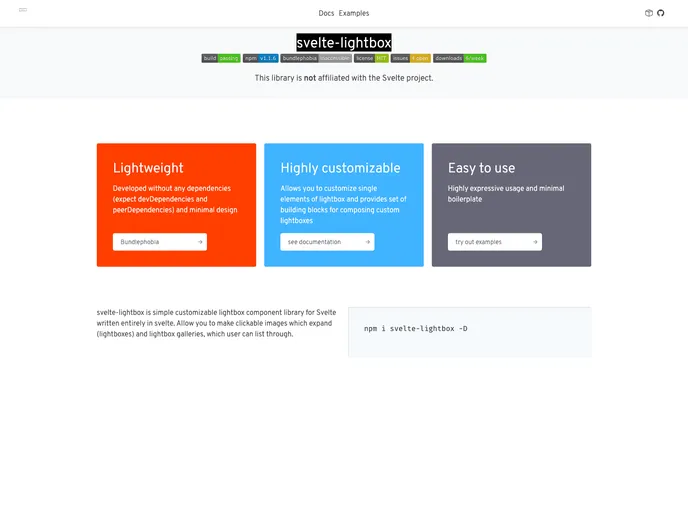
Lightbox component for Svelte and SvelteKit.
svelte-lightbox is a lightweight and customizable lightbox library for Svelte. It offers a simple and easy-to-use component to display images and videos in a lightbox format. The library supports mobile devices and allows for customization of various elements. It is the first version of the library and any reported bugs can be addressed in the GitHub repository.
import { Lightbox } from 'svelte-lightbox';
<Lightbox>
  <img src="path_to_image" alt="Image">
</Lightbox>
import { LightboxGallery, GalleryImage, GalleryThumbnail } from 'svelte-lightbox';
<LightboxGallery>
  <GalleryImage src="path_to_image" alt="Image">
  <GalleryImage src="path_to_video" alt="Video">
</LightboxGallery>
<LightboxGallery>
  <svelte:fragment slot="thumbnail">
    <div class="thumbnail-layout">
      <GalleryThumbnail src="path_to_thumbnail1" alt="Thumbnail 1">
      <GalleryThumbnail src="path_to_thumbnail2" alt="Thumbnail 2">
    </div>
  </svelte:fragment>
  <GalleryImage src="path_to_image1" alt="Image 1">
  <GalleryImage src="path_to_image2" alt="Image 2">
</LightboxGallery>
svelte-lightbox is a lightweight and customizable lightbox library for Svelte. It provides a simple way to display images and videos in a lightbox format. The library supports mobile devices and offers customization options for various elements. The main components of the library are <Lightbox> and <LightboxGallery>. Installation and usage are straightforward, allowing users to easily integrate the library into their Svelte projects.

