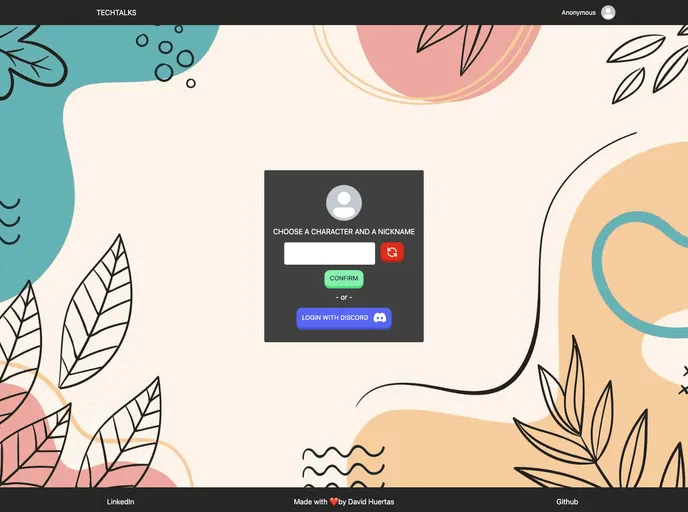
A SvelteKit Chat Project with TailwindCSS and Twillio created for Midudev's July Hackathon
The provided content is an introduction and overview of a learning project example, a chat app using Twilio services and Supabase as Backend-as-a-Service (BaaS). It mentions the features of the app, installation instructions, and the technologies used. The project is open-source and licensed under MIT.
To install the theme, follow the steps below:
Clone the repository:
git clone [repository-url]
Install dependencies:
npm install
Set up environment variables:
# Replace the values with your Twilio and Supabase credentials
export VITE_PUBLIC_TWILIO_ACCOUNT_SID=<YOUR_TWILIO_ACCOUNT_SID>
export VITE_PUBLIC_TWILIO_AUTH_TOKEN=<YOUR_TWILIO_AUTH_TOKEN>
export VITE_PUBLIC_TWILIO_API_KEY=<YOUR_TWILIO_API_KEY>
export VITE_PUBLIC_TWILIO_API_SECRET=<YOUR_TWILIO_API_SECRET>
export VITE_PUBLIC_SERVICE_SID=<YOUR_TWILIO_SERVICE_SID>
export VITE_SUPABASE_URL=<YOUR_SUPABASE_URL>
export VITE_SUPABASE_ANON_KEY=<YOUR_SUPABASE_ANON_KEY>
export VITE_BACKEND_URL=<YOUR_BACKEND_URL>
Start the application:
npm run dev
The content provides an overview of a learning project example for a chat app using Twilio and Supabase. It lists the features of the app, installation instructions, and mentions the technologies used. The project is open-source and licensed under MIT. It also encourages contributors to make changes and submit pull requests.

