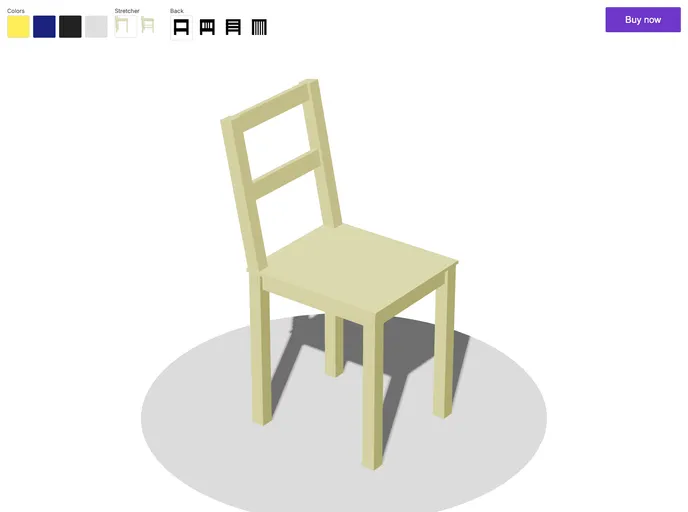
Demo using Threlte, SvelteKit and Stripe Checkout
This product analysis discusses an e-commerce example called “svelte-kit-ecommerce-3d” that utilizes SvelteKit, Threlte, and Stripe. The example demonstrates how to build an e-commerce website using these technologies.
To install and set up the “svelte-kit-ecommerce-3d” theme on your local machine, follow the steps below:
git clone https://github.com/username/svelte-kit-ecommerce-3d.git
.env.example file and create a new .env file:cp .env.example .env
.env file:STRIPE_SECRET_KEY=your_secret_key_here
vercel
The “svelte-kit-ecommerce-3d” example provides a practical demonstration of how to build an e-commerce website using SvelteKit, Threlte, and Stripe. By following the provided installation guide and deploying the project, developers can explore the integration of these technologies and utilize the functionalities they offer in building their own e-commerce platforms. The example is released under the MIT license, allowing developers to use and modify the code as per their requirements.

