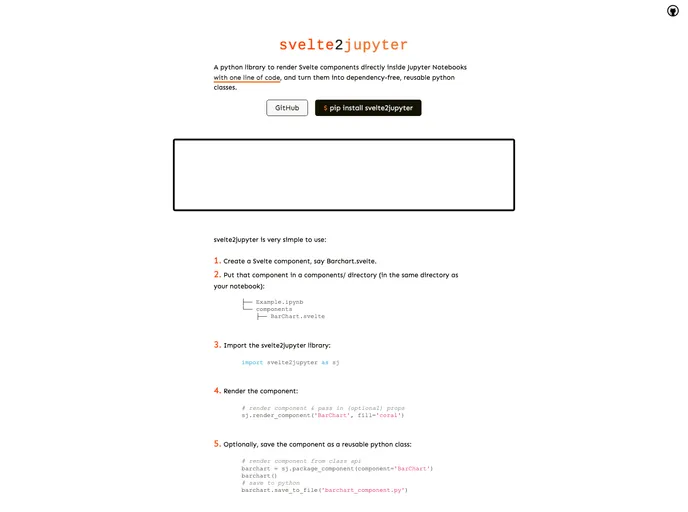
Render Svelte components inside Jupyter notebooks
If you’re looking to enhance your Jupyter notebook experience by integrating Svelte components, the svelte2jupyter library is a game changer. This minimal Python library eliminates the hassle of dealing with Node.js dependencies while allowing you to seamlessly render Svelte components directly within your notebooks. Whether you are a data scientist wanting to incorporate interactive visuals or a developer looking to enrich your notebook applications, svelte2jupyter simplifies the process, making it user-friendly and efficient.
This library enables easy installation and usage, ensuring that you can focus on your content rather than the technical complexities. With svelte2jupyter, not only can you render Svelte components effortlessly, but you can also package them into reusable Python classes, making it a versatile tool for any project.
Easy Installation: Install the library with a simple pip command, debuting your journey into Svelte integration with Jupyter.
Component Organization: Create a dedicated components/ directory to store your Svelte components, keeping your project organized and tidy.
Functional and Class-Based API: Choose your preferred method for rendering components, either through a functional API or a class-based one, enhancing flexibility in your approach.
Dependency-Free Packaging: Package Svelte components into standalone Python classes that users can utilize without needing additional node or npm dependencies.
Local NPM Setup: Automatically manages the local npm project setup, so you don’t have to worry about underlying configurations.
Easy Updates: Quickly refresh your components after making updates using straightforward function calls, ensuring your visuals are always up-to-date.
Handling Third-Party Dependencies: Manage third-party npm dependencies easily by installing them directly within your project, minimizing frustrations during the rendering process.
Custom File Creation: Generate a Python file containing your component’s logic, which can be transferred across projects without additional library requirements.