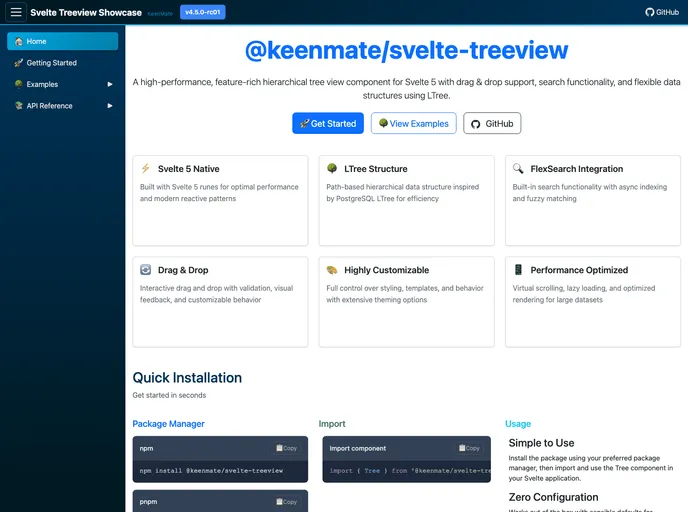
Svelte Treeview screenshot

Svelte Treeview

Author Avatar Theme by Keenmate
Updated: 21 Dec 2025
39 Stars

A flexible hierarchical tree component for Svelte 5 with path-based data structure, async search indexing, drag & drop, and context menus

Categories

Overview

The @keenmate/svelte-treeview is an impressive hierarchical tree view component designed specifically for Svelte 5. It stands out for its high performance and rich feature set, making it an excellent choice for developers looking to implement dynamic and interactive tree structures in their applications. With built-in drag and drop support and powerful search capabilities, this component caters to the needs of both novice and advanced users, ensuring flexibility and ease of use.

Whether you’re building a complex data visualization or a simple file explorer interface, the @keenmate/svelte-treeview’s lightweight design and extensive customization options provide the versatility needed for modern web applications. Its integration with TypeScript ensures robust type definitions, making it a reliable tool for developing accessible and responsive user interfaces.

Features

  • Svelte 5 Native: Specifically built for Svelte 5, offering full support for modern Svelte patterns and runes.
  • High Performance: Utilizes the LTree data structure for efficient management of hierarchical data, ensuring quick load times and smooth interactions.
  • Drag & Drop: In-built support for drag and drop functionality with validation and visual feedback, enhancing user experience.
  • Search & Filter: Integrated FlexSearch technology allows for fast, full-text search, making data retrieval seamless.
  • Flexible Data Sources: Compatible with any hierarchical data structure, enabling versatility in data representation.
  • Context Menus: Dynamic right-click menus can be generated based on node properties, complete with callback options and visual icons.
  • Visual Customization: Extensive styling and icon customization options cater to branding requirements, allowing for unique visual presentations.
  • Accessibility: Designed with accessibility in mind, ensuring a user-friendly experience for all users.