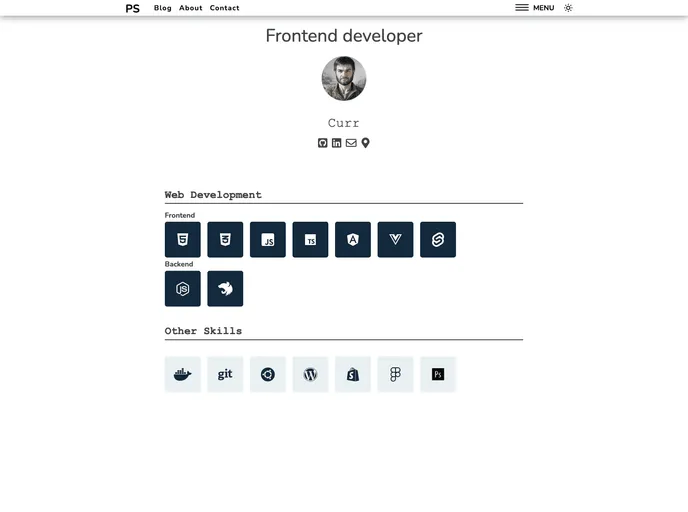
Latest SvelteKit v.2 blog - can create page or blog with Markdown or Jodit(wysiwyg editor) - Created pages and blogs are in header and they are server-side rendered for SEO and client-side for interaction
This is a product analysis of a blog made with SvelteKit. The blog uses Markdown for content formatting and incorporates an FE (front-end) framework called SvelteKit. The back-end is built with Express and utilizes SQLite for data storage. The product supports environment variables and requires setting up a .env file in the main directory as well as in the /serveradmin subdirectory. The email feature allows for adding, editing, and removing pages and blogs. Optional integration with Disqus enables comments on the blog posts. The product requires Node.js version 16+ and offers build and development server functionalities. Both the server and client run on the same port, and the server includes server-side rendering (SSR) when the build is available. The product utilizes jsonwebtoken for authorization and express-session for session management in Express. It also includes language switching capabilities using the svelte-i18n library.
To install the SvelteKit blog, follow these steps:
Set up a .env file in the main directory and include the necessary environment variables such as email, disqusSrc, cookieSecret, cookieName, and TOKEN_KEY.
In the /serveradmin subdirectory, create another .env file and include the same environment variables mentioned above.
Ensure that you have Node.js version 16 or above installed on your system.
Open your terminal and navigate to the project’s server directory by running the command cd server.
Build the server by running the command npm run build.
Start the development server by running the command npm run devServer.
The server and client will run on the same port. If the build exists, the server will include server-side rendering (SSR) using SvelteKit.
To enable authorization, incorporate the jsonwebtoken library for handling user authentication and access control.
For session management in Express, utilize the express-session library to ensure secure and efficient handling of user sessions.
Use the svelte-i18n library to implement language switching and localization support in the blog.
Create and render pages and blogs using the marked library for efficient content generation.
The SvelteKit blog offers a robust and efficient solution for creating and managing a blog. With features such as Markdown support, email administration, Disqus integration, environment variable support, Node.js compatibility, build and development server functionality, server-side rendering, authorization and session management, language switching, and efficient content generation, this product provides a comprehensive and user-friendly experience for bloggers and administrators. The installation process ensures easy setup and integration of the required libraries and dependencies.

