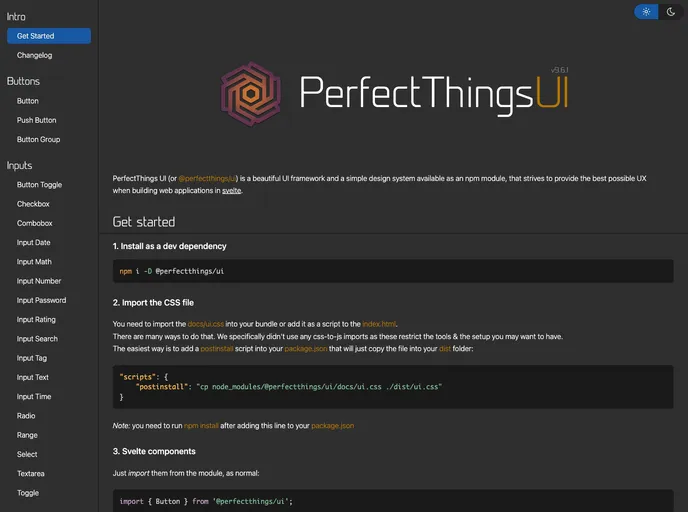
Perfect UI components
PerfectThings/UI is a set of simple and perfect UI components written in Svelte, a popular front-end framework. It provides a collection of UI elements that can be easily integrated into web applications. The project has a Github pages site with documentation and showcases the usage of these components.
To install PerfectThings/UI, follow these steps:
npm install perfectthings-ui --save-dev
{
  "scripts": {
    "postinstall": "cp node_modules/perfectthings-ui/docs/ui.css dist"
  }
}
<link rel="stylesheet" href="path/to/ui.css">
import { Button, Card, Input } from 'perfectthings-ui';
For SvelteKit projects, there are additional configuration steps:
Since PerfectThings/UI is a front-end framework that requires a browser to work, it does not support server-side rendering (SSR). You need to disable SSR by creating a file src/routes/+layout.js and adding the following code to it:
export const prerender = false;
If you are using SvelteKit, you need to add the ui.css file to the static folder. Then, either import it into your global.css file or add it to the head section of your app.html file:
<link rel="stylesheet" href="/static/ui.css">
Once the CSS and configuration are set up, import the UI components as normal:
import { Button, Card, Input } from 'perfectthings-ui';
PerfectThings/UI is a collection of UI components written in Svelte, designed to simplify the process of creating modern web interfaces. The theme offers a variety of customizable components and integrates smoothly with Svelte and SvelteKit projects. With its easy installation process and user-friendly documentation, PerfectThings/UI is a great choice for developers looking to enhance the UI of their web applications.

