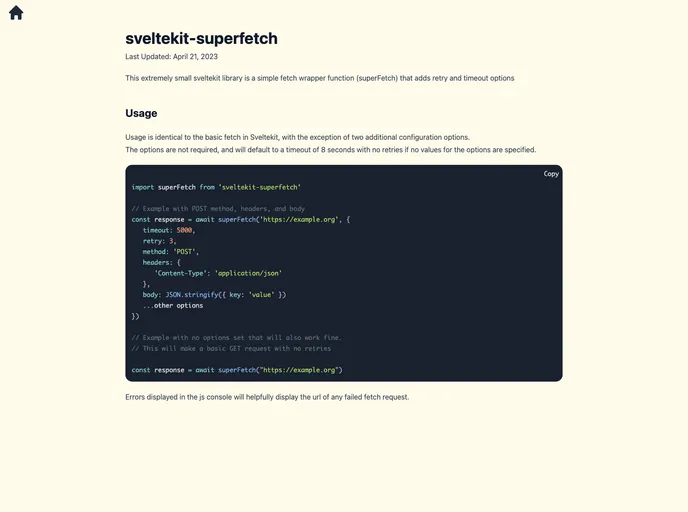
This extremely small SvelteKit library is a simple fetch wrapper function (superFetch) that adds retry and timeout options.
The SvelteKit Superfetch library is a tool that allows developers to interact with APIs, providing support for optional logging of requests and responses. It is designed to be easy to use and customizable, with default options for timeout and retries.
Start by installing the Superfetch library using your preferred package manager:
npm install sveltekit-superfetch
Create a new instance of Superfetch in a separate file, which can be imported wherever needed in your project. If you want to use the default options, you can do:
// lib/superfetch.ts

import { Superfetch } from 'sveltekit-superfetch';

const superfetch = new Superfetch();
export default superfetch;
// lib/superfetch.ts

import { SuperfetchOptions, Superfetch } from 'sveltekit-superfetch';

const options: SuperfetchOptions = {
  limitedPaths: ['/'],
  timeout: 10000, // 10 seconds
  retries: 5
};

const superfetch = new Superfetch(options);
export default superfetch;
const response = await superfetch.fetch('/api/endpoint', {
  method: 'POST',
  headers: {
    'Content-Type': 'application/json'
  },
  body: JSON.stringify({ key: 'value' })
});
const response = await superfetch.fetch('/api/data', {
  cache: {
    enabled: true,
    ttl: 600 // 10 minutes
  }
});
You can also use Superfetch to cache API requests, even with a relatively short TTL. It can greatly improve performance and reduce hits to third-party APIs on high-traffic sites. However, it’s important to note that caching should only be used for GET requests and not for sensitive or dynamic endpoints, like customer profiles.
Lastly, if you create a new instance of Superfetch without passing in a logger instance, it will default to using console.log() and console.error() for logging.
The SvelteKit Superfetch library is a powerful tool for interacting with APIs in SvelteKit projects. It provides an easy-to-use interface, customizable options, and optional logging for requests and responses. By following the installation guide and using the provided examples, developers can make efficient and reliable API requests with Superfetch.

