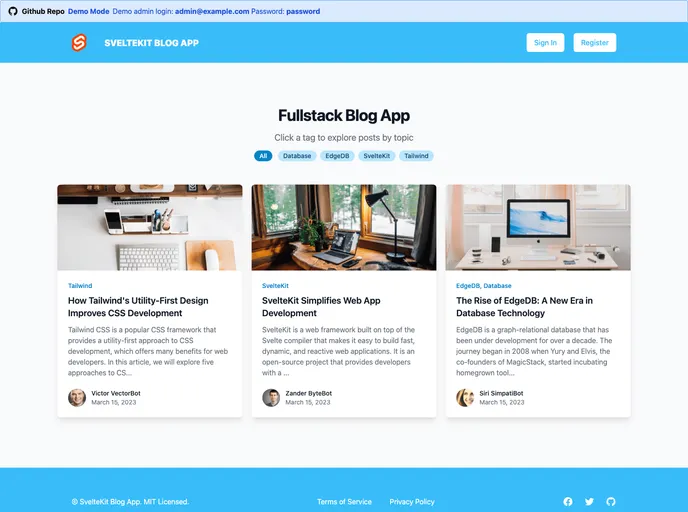
SvelteKit Blog App is a free and open-source simple fullstack blog app built with SvelteKit, Tailwind CSS, and EdgeDB
Overview:
The SvelteKit Blog App is a real-world application that serves as a full-stack Medium.com blog clone. It demonstrates various features required for a robust web application, such as querying and persisting data, an authentication system, session management, and full CRUD operations. The app utilizes SvelteKit, a popular framework known for its developer retention, Tailwind CSS, a widely used CSS framework, and EdgeDB, an open-source database that combines the benefits of SQL and an ORM.
Features:
- Simplicity: The app minimizes the use of third-party dependencies and leverages the platform itself to keep things simple.
- Modern Tailwind Design: It follows the latest best practices for an aesthetically pleasing design.
- Desktop and Mobile-friendly: The app is optimized for both large-screen and small-screen devices.
- Authentication and Authorization: It includes built-in user management with role-based authorization.
- 100% Performance Score on Google Lighthouse: The app achieves optimal performance according to the Google Lighthouse benchmark.
- Modern Admin Panel: The app showcases an elegant admin dashboard that demonstrates CRUD operations for posts, comments, tags, and users.
Installation:
To install the SvelteKit Blog App, follow these steps:
- Install EdgeDB by visiting their website and following the installation instructions.
- Clone the repository of the app and install its dependencies.
- Initialize the necessary files for connecting to the database.
- Run the development server.
- In your browser, navigate to the root directory of the app to automatically seed the database at http://localhost:5173/.
- Use the following login credentials to access the admin pages:
Summary:
The SvelteKit Blog App is a real-world application that showcases the capabilities of SvelteKit, Tailwind CSS, and EdgeDB. It offers simplicity, a modern design, and excellent performance while providing features like authentication, authorization, and an elegant admin panel. By following the installation guide, developers can easily set up and explore this full-stack blog clone.